Enable Telenet in Windows 8

Since Windows Vista Telenet client is not coming preinstalled with newer OS’s including Windows 8. Probably the reason is the security as these communications are unencrypted and sniffers can intercept the information on the network.

image

If you still need to use Telenet you can do it very easily by just executing one command at command prompt. Open command prompt in Administrator mode and execute below command :

pkgmgr.exe / iu:"TelnetClient"

You won’t get any notification after the command execution completes but that is also and indication of successful command execution though it shouldn't.

Command to disable hibernation in Windows 10/ Windows 7

In Hibernate mode all the information that is dealing in RAM is saved to the hard drive and the computer turns off completely. When turning on the PC again, all applications are restored to the previous state before hibernation.
You might want to turn Hibernation Off may be because of low disk space of something else, here is how this can be done :
Go to Start -> All Programs -> Accessories-> right click Command Prompt and then select Run as administrator.
Windows 7 Hibernate Command
This will display the command window. Now inside command window or DOS window just type :

powercfg.exe /hibernate off

and press enter. This command will disable hibernation on your system. To re enable hibernation you can use command:

powercfg.exe /hibernate on

Reduce size of heavy images up to 80% online with free online tool

JPEGmini is a web service that provides a service of compressing images with very good results and is really simple. JPEGmini will reduce the weight of your images up to 80% and when compared visually you will find no difference with the original one.

JPEGmini works very easily and the compression is done automatically, the tool is efficient, fast and with impressive compression results. Recent mobile devices or cameras are coming to market with a very good quality, everyday cameras come with more megs pixel and really this is very good for users because we have a high quality picture in our camera or mobile phone even very small devices. Although lens level there is still a huge gap with professional cameras "SLR".

jpgmini3

This point brings us into a high quality image but very heavy and very difficult for us to share with our contacts, via social networks, via email, via LINE, whatsapp, etc.. But now there is JPEGmini to offer image compression up to 80% and the loss of quality is almost imperceptible to our eyes.

JPEGmini works in a very simple way, just upload the image to the site JPEGmini and the tool will automatically reduce the image size to the maximum values ​​without noticing quality loss. First click on "Try It Now" and upload a photo from your computer or device, always remember that the tool only accepts these formats, JPEG, jpg, JPG, jpeg.

jpgmini3-uploading

Now let JPEGmini do its job automatically. Then the tool will show the results of the original image and the processed by JPEGmini , so you can do a quick check and show you the details above the current size and level of compression achieved.

jpgmini4-uploading

And now you can download the image to your computer or mobile device or upload to Facebook.
connect-google

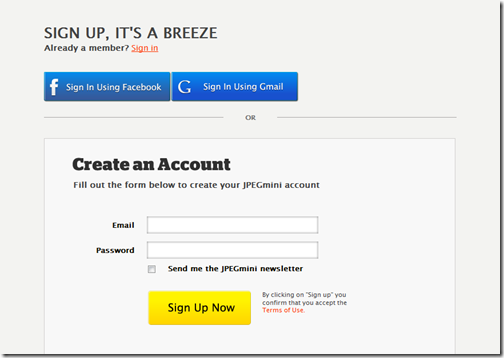
Also JPEGmin offers other services if you create an account on their website, you can link your account to Facebook or Gmail JPEGmin. The benefits that the tool offers are, the option to upload entire albums, share on Picasa and Flickr. Reduce batch create albums photos directly to your Facebook and easily and all totally free and unlimited.

You do not need more download an application to your device to reduce the quality of the images, now you can do with JPEGmini from your browser and automatically and within seconds.

JPEGmini is a web application, for free. Visit JPEGmini website.

10 Facts about Windows 8, you need to know

Windows 8 - is a new generation of Operating Systems available in the market which is capable of running on a variety of operating systems. According to the presentation Microsoft, in Windows 8 significantly reduces the time of Startup and shutdown Compared to the previous OS Family of Windows. Close Attention has been paid to use Energy and Energy efficiency. Declared Support interface USB 3.0, connection Bluetooth 3.0, as well as Wireless and stereoscopic displays. One Innovation is the Face Recognition system users Via a webcam.

windows8_610x369

Few facts about Windows 8 OS

  1. All of the Traditional programs for Windows 7 will run on Windows 8.
  2. Windows 8 has the same system requirements as the previous version of the operating system: 1 GHz processor, 1 GB of RAM and at least 16GB of free disk space.
  3. Windows 8 uses a new Mechanism Called Hybrid Boot, Which Speeds up the Boot and shutdown of the system Several times. The Technology is a Hybrid of the Traditional "Cold" Boot-up and Resume After hibernation.
  4. Virus protection is enabled in the system by default. In addition, Windows 8 has improved means of preventing attacks, some of which are built into the kernel.
  5. Windows 8 supports Near Field Communication, Which Allows a Variety of digital Devices to Communicate with each Other, or, for example, with Special About labels using simple touches.
  6. In Windows 8 Has native Virtualization Technology Support for Hyper-V. This Allows you to run More than one 32-bit or 64-bit x86 operating systems on one computer.
  7. With the Portable Workspace, you can make a clone of the Operating system on a USB-Drive. Volume of the carrier must be at Least 16 GB.
  8. Added Functions to update and reset the system State. Refresh is Used in the Event That your Computer Has Become unstable and to update ITS State, without Losing Data and user applications. Reset can be Used to Bring the system to ITS original State at the time of installation.
  9. To enter the system Biometrics Face Recognition can be used.
  10. The enhanced system Has Support for multiple Monitors. Now you CAN Show the taskbar on any monitor, manage Wallpapers on Different Screens, Displaying the one Hand the start menu, and the Other - the desktop, and SO on.