
Each operating system has its own system hot keys for quick access to resources administration, navigating through the system and its customization. Windows 8 is no exception and it also contains shortcuts. In this topic, I will try to describe them in detail. Each hot key combination will occur name Win.This is a button on the keypad one with a logo of Windows, the button is located at the bottom left of the space between the keys Ctrl and Alt and the right of the space between the keys Alt and Ctrl.
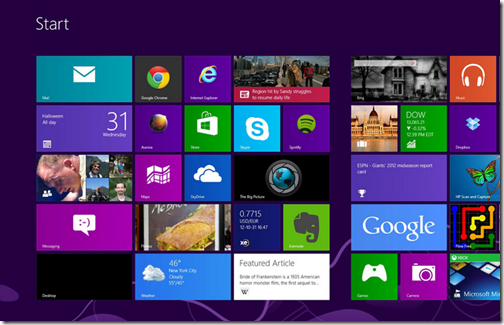
keyboard shortcuts in Windows 8:
- Win + Space: Changing the keyboard layout
- Win +, (comma): temporarily displays the desktop.Once released, this combination again unfolds Metro interface.
- Win + M: minimize all windows and displays the desktop.
- Win + O: blocking the device's orientation (does not flip the screen when the tablet device to twist).Available only on tablet devices which support screen rotation.
- Win + V: implementation of switching between existing notifications in Windows 8.
- Win + Enter: this combination runs the standard Narrator, which reads aloud the titles of all open applications system.
- Win + PgUp: moving tiles to the left
- Win + PgDn: moving tiles to the right.Honestly - I did not understand when and how the tiles are moved to the metro interface, I was not able to move the tile.
- Win + Shift +. (Dot): Move the separator (screen) to the left
- Win +. (Dot): Move the separator (screen) to the right.
- Win + PrtScr: Make a screenshot of the current screen and saves the screenshot as a PNG file in your default image folder.
- Win + D: brings up the desktop, but does not turn off applications that are located on your desktop.
- Win + F: Search menu opens a standard Windows 8 to programs and features .
- Win + C: A combination opens a shortcut menu on the right side of the screen (for access to the "find", "share", "start", etc.)
- Win + E: This hotkey opens the Windows Explorer
- Win + R: launch window with the "Run"
- Win + I: start "Options" menu, where items are available "control menu", "Off", volume control, keyboard layout, etc.
- Win + K: start menu "Devices"
- Win + H: start menu "Sharing"
- Win + Q: start menu "Applications" from the search bar on the applications that are installed in Windows 8
- Win + W: by searching the points settings and configuration of the operating system
- Win + X: calls menu with various administrative functions for system management.
- Win + L: Lock your computer
- Win + Z: launch the application bar
- Ctrl + Esc: combination switch between metro-based and active at the time of application.
- Ctrl + Alt + Del: opens the window with items "lock", "Switch User", "Change Password", "Task Manager"
- Alt + Tab: scrolling between windows and applications running


